
Anúncios
Siri has become one of the most popular virtual assistants worldwide, transforming how we interact with our Apple devices through simple voice commands that make daily tasks easier.
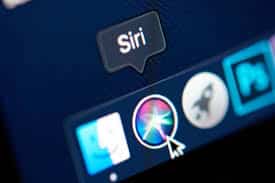


Since its launch in 2011, Siri has evolved from a simple voice recognition tool into a sophisticated artificial intelligence companion capable of understanding context, learning from your habits, and executing complex tasks across your iPhone, iPad, Mac, Apple Watch, and HomePod.
Anúncios
Whether you’re driving, cooking, working out, or simply multitasking, having the right voice commands at your fingertips can dramatically improve your productivity and make technology feel genuinely intuitive. Let’s explore the most powerful Siri commands that deserve a permanent spot in your daily routine.
🚀 Essential Daily Commands That Save Time
The beauty of Siri lies in its ability to handle routine tasks without you having to unlock your device or navigate through multiple apps. These fundamental commands form the foundation of a hands-free lifestyle.
Anúncios
Starting your morning with “Hey Siri, good morning” triggers your personalized routine, potentially adjusting smart home devices, reading your calendar, delivering weather updates, and playing your favorite news podcast—all without touching your phone.
Setting reminders has never been more natural. Simply say “Hey Siri, remind me to call mom at 3 PM” or “Remind me about this when I get home” and watch how location-based reminders revolutionize your task management.
Timer management becomes effortless during cooking or workouts. Commands like “Set a timer for 20 minutes” or “Set multiple timers” (naming each one differently) help you juggle several activities simultaneously without confusion.
📱 Communication Commands for Seamless Connectivity
Siri excels at managing your communications, making it safer to stay connected while driving or when your hands are occupied with other tasks.
Sending messages becomes incredibly simple with commands like “Send a message to John saying I’ll be there in 10 minutes” or “Tell Sarah I’m running late.” Siri reads the message back for confirmation before sending, ensuring accuracy.
Making calls is equally straightforward. “Call Mom on speaker” or “FaceTime Dad” connects you instantly. You can even specify which number to call if a contact has multiple entries: “Call Dr. Smith at work.”
Reading your messages aloud is particularly useful while driving. “Read my latest messages” or “Read all unread messages from Emily” keeps you informed without diverting your attention from the road.
🎵 Music and Entertainment Control at Your Command
Apple’s tight integration between Siri and Apple Music creates a powerful combination for music lovers who want instant access to their favorite tracks, playlists, and podcasts.
Playing music is remarkably intuitive. Commands like “Play my workout playlist,” “Play something I’d like,” or “Play jazz music” leverage Siri’s understanding of your preferences and Apple Music’s vast library.
Discovering new music becomes conversational: “What song is this?” identifies currently playing tracks in your environment, while “Play the top songs from 1985” or “Play songs similar to this” help you explore genres and eras.
Podcast management is equally smooth. “Play the latest episode of [podcast name]” or “Skip ahead 30 seconds” keeps your listening experience flowing during commutes or workouts.

🧭 Navigation and Travel Made Effortless
Whether you’re exploring a new city or simply trying to beat traffic on your daily commute, Siri’s navigation commands provide real-time guidance and valuable travel information.
Getting directions is as simple as saying “Give me directions home” or “How do I get to the nearest coffee shop?” Siri automatically opens Apple Maps with the route ready, showing estimated travel time and traffic conditions.
Finding nearby places becomes conversational: “Find Italian restaurants nearby,” “Where’s the closest gas station?” or “Show me pharmacies open now” delivers exactly what you need based on your current location.
Travel updates help you stay informed. “When is my next flight?” pulls information from your email confirmations, while “What’s the traffic like on my route to work?” helps you decide whether to leave early or find an alternate path.
📅 Calendar and Scheduling Mastery
Managing your schedule verbally transforms how you organize your time, making it easier to stay on top of appointments, meetings, and important dates without navigating through calendar apps.
Creating events is remarkably natural: “Schedule a meeting with Tom tomorrow at 2 PM” or “Add dinner with friends to my calendar for Saturday at 7” instantly blocks your time with all relevant details.
Checking your schedule becomes a quick inquiry: “What does my day look like?” or “What’s on my calendar for next week?” provides an overview of your commitments, helping you plan accordingly.
Modifying events is equally simple. “Move my 3 PM meeting to 4 PM” or “Cancel my dentist appointment” gives you flexibility to adjust plans on the fly without interrupting your workflow.
🏠 Smart Home Control Through Voice
For users with HomeKit-compatible devices, Siri transforms into a central hub for controlling lights, thermostats, locks, cameras, and countless other smart home accessories throughout your living space.
Lighting control becomes theatrical: “Turn off all the lights,” “Dim the bedroom lights to 30%,” or “Turn on the kitchen lights” creates the perfect ambiance for any activity or time of day.
Temperature management keeps you comfortable: “Set the thermostat to 72 degrees” or “Make it warmer in here” adjusts your climate without leaving the couch or bed.
Scene activation bundles multiple actions into single commands. “Good night” might lock doors, turn off lights, lower thermostats, and activate security cameras—all with two simple words.
💡 Productivity Boosters for Professionals
Siri’s productivity features help busy professionals stay organized, informed, and efficient throughout demanding workdays filled with meetings, emails, and deadlines.
Quick calculations eliminate the need for calculator apps: “What’s 15% of 250?” or “Convert 50 euros to dollars” delivers instant results for budgets, tips, or international transactions.
Email management becomes hands-free: “Check my email” or “Send an email to my boss” lets you stay connected even when typing isn’t convenient or possible.
Notes and lists creation captures ideas immediately: “Make a note that says…” or “Add eggs to my grocery list” ensures important thoughts don’t slip away during busy moments.
🔍 Information and Knowledge at Voice Speed
Siri serves as your personal research assistant, answering questions and providing information on virtually any topic using web searches, Wikipedia, Wolfram Alpha, and other trusted sources.
General knowledge questions get immediate answers: “How tall is Mount Everest?” or “Who won the 1998 World Cup?” satisfies curiosity without typing searches or scrolling through results.
Weather forecasting keeps you prepared: “Will it rain tomorrow?” or “What’s the weather like in Tokyo right now?” helps you plan outfits, activities, and travel arrangements.
Sports updates satisfy fans: “What was the score of the Lakers game?” or “When do the Yankees play next?” delivers real-time information about your favorite teams and athletes.
🎯 Advanced Commands for Power Users
Once you’ve mastered basic commands, these advanced techniques unlock Siri’s full potential and enable truly sophisticated interactions with your devices and data.
App-specific commands leverage deep integration: “Show me photos from last summer in Hawaii,” “Find my note about project deadlines,” or “Open my workout app” navigates directly to exactly what you need.
Translation features break language barriers: “How do you say ‘where is the bathroom’ in French?” provides instant translations for travel or language learning.
Complex queries combine multiple elements: “Remind me about this webpage when I get to work tomorrow” creates context-aware reminders tied to locations, times, and specific content.
🔐 Privacy and Settings Commands
Managing device settings and privacy preferences through voice commands streamlines technical adjustments that typically require multiple taps through settings menus.
Connectivity management is quick: “Turn on Bluetooth,” “Enable Do Not Disturb,” or “Turn off Wi-Fi” adjusts connectivity without navigating settings screens.
Accessibility features activate instantly: “Turn on VoiceOver,” “Enable Dark Mode,” or “Increase text size” makes devices more comfortable and usable for diverse needs.
Battery management provides crucial information: “What’s my battery percentage?” or “Turn on Low Power Mode” helps you maximize device usage throughout long days.
🎪 Fun and Creative Commands
Beyond productivity, Siri has a playful side with entertaining responses and creative capabilities that showcase Apple’s attention to personality and user experience.
Entertainment requests bring smiles: “Tell me a joke,” “Sing me a song,” or “Read me a poem” reveal Siri’s programmed sense of humor and creativity.
Easter eggs reward curiosity: Asking “What does the fox say?” or “What is zero divided by zero?” triggers clever, unexpected responses that demonstrate Siri’s personality.
Random decisions help the indecisive: “Flip a coin,” “Roll a dice,” or “Pick a number between 1 and 10” settles debates and makes choices more fun.
🔄 Shortcuts and Automation Magic
The Shortcuts app transforms Siri into an automation powerhouse, allowing you to create custom voice commands that trigger complex sequences of actions across multiple apps and services.
Creating personalized routines means “I’m heading home” could send your ETA to family, start navigation, adjust your home temperature, and queue your favorite podcast—all simultaneously.
Work-focused shortcuts might include “Start my workday” which disables personal notifications, opens work apps, starts a focus timer, and sends a status update to colleagues.
Wellness automation helps maintain healthy habits: “Log my water intake,” “Start my meditation,” or “Track my workout” integrates with health apps seamlessly.
📲 Cross-Device Commands for Ecosystem Benefits
Apple’s ecosystem shines when Siri coordinates actions across iPhone, iPad, Mac, Apple Watch, HomePod, and other devices, creating a unified experience that follows you throughout your day.
Continuity features allow starting tasks on one device and finishing on another: “Open this on my Mac” or “Send this to my iPad” transfers content seamlessly between devices.
HomePod commands extend beyond smart home: “Play this on my bedroom HomePod” or “Announce to everyone that dinner is ready” leverages intercom features for whole-home communication.
Apple Watch integration means wrist-based commands like “Start a running workout” or “What’s my heart rate?” provide fitness tracking without pulling out your iPhone.
🌟 Tips for Getting the Most from Siri
Maximizing Siri’s effectiveness requires understanding its capabilities, speaking naturally, and customizing settings to match your personal preferences and usage patterns.
Speaking naturally works better than robotic phrasing. Siri understands context and conversational language, so “Remind me to grab the dry cleaning when I leave work” works perfectly without rigid formatting.
Training Siri improves accuracy over time. Correct misunderstood commands by typing the intended text, helping Siri learn your voice patterns, accent, and vocabulary preferences.
Customizing settings enhances functionality. Enable “Hey Siri” for hands-free access, choose your preferred voice and language, and configure app permissions to expand Siri’s capabilities across your device.
🚗 Driving Safety with CarPlay Commands
When your iPhone connects to CarPlay, Siri becomes your essential copilot, handling navigation, communication, and entertainment while keeping your eyes on the road and hands on the wheel.
Voice-only interactions eliminate dangerous distractions: “Navigate to the nearest hospital,” “Call my wife,” or “Play my driving playlist” accomplish tasks without glancing at screens.
Message handling maintains connections safely: “Read my messages” and “Reply that I’ll be there soon” keeps conversations flowing without compromising road safety.
Contextual awareness means Siri understands driving-specific needs: “Find a coffee shop along my route” or “What’s my ETA?” provides relevant information without interrupting your journey.
💬 Natural Language Understanding Evolution
Siri’s continuous improvements in natural language processing mean more conversational interactions and better understanding of complex, multi-part requests that previously required multiple commands.
Follow-up questions maintain context: After asking “What’s the weather today?” you can simply say “What about tomorrow?” without repeating the entire question structure.
Pronoun understanding creates fluid conversations: “Text my mom I love her” or “Remind me about this later” demonstrates Siri’s ability to reference people and content contextually.
Multilingual capabilities support global users: Siri can understand and respond in dozens of languages, with some regions supporting bilingual interactions within single conversations.
🎓 Learning Your Preferences Over Time
The more you interact with Siri, the better it becomes at predicting your needs, suggesting relevant actions, and personalizing responses based on your habits and patterns.
Personalized suggestions appear proactively:
Siri might suggest calling someone based on your routine, recommend leaving early due to traffic, or surface relevant apps at specific times and locations.
Improved accuracy comes from usage: Regular interactions help Siri learn names of contacts, pronunciation preferences, and the specific apps and services you use most frequently.
Privacy-focused learning means personalization happens on-device whenever possible, with Apple emphasizing that Siri intelligence doesn’t require sacrificing your personal data security.
Adotar a Siri como sua assistente de voz inteligente transforma as interações diárias com o dispositivo, de tarefas manuais em conversas fáceis e intuitivas.
