

Anúncios
Unlock the Power of Siri Voice Commands
Explore Siri Now
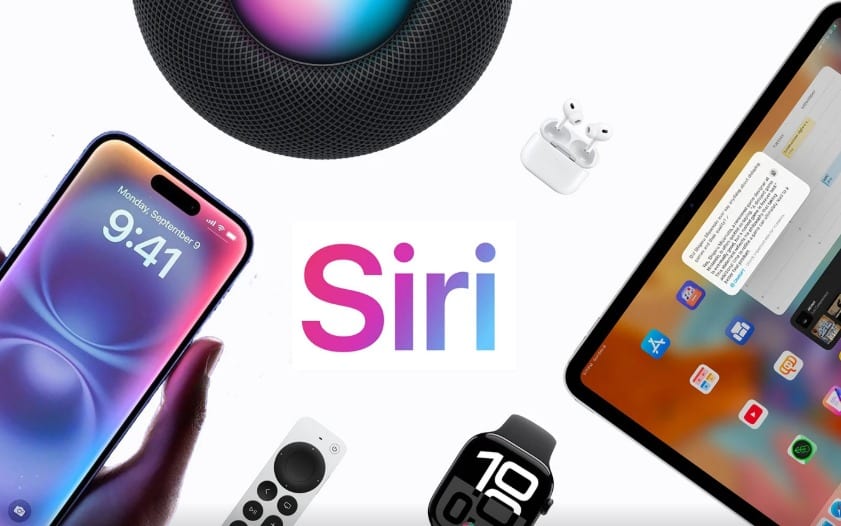
In today’s fast-paced digital landscape, voice assistants have transformed how we interact with technology. Among these intelligent companions, Siri stands out as Apple’s pioneering voice command system, offering seamless integration across the entire iOS ecosystem. From setting reminders to controlling smart home devices, Siri has evolved into an indispensable tool for millions of users worldwide.
Understanding Siri’s extensive functionality can dramatically enhance your daily productivity and simplify complex tasks with just your voice. Whether you’re driving, cooking, or simply want a hands-free experience, this intelligent assistant adapts to your needs and learns from your patterns. Let’s explore the remarkable capabilities that make Siri one of the most sophisticated voice command systems available today. 🎙️
Anúncios
Getting Started: Activating Your Voice Assistant
Before diving into Siri’s advanced features, it’s essential to understand the various ways to activate this intelligent companion. The most common method is the classic “Hey Siri” wake phrase, which allows completely hands-free activation when enabled in your device settings. This feature works seamlessly across iPhone, iPad, Apple Watch, HomePod, and even AirPods.
Alternatively, you can press and hold the side button (or home button on older devices) to manually trigger Siri. This method proves particularly useful in noisy environments where voice activation might be unreliable. For AirPods users, a simple double-tap or press on the earbuds instantly summons your digital assistant, making it incredibly convenient during workouts or commutes.
Anúncios
The beauty of Siri’s activation system lies in its flexibility and context-awareness. The assistant can distinguish your voice from others in the household, ensuring personalized responses and maintaining privacy. Once activated, Siri displays a colorful waveform animation, signaling readiness to receive your commands and questions.
Communication Made Effortless 📱
One of Siri’s most practical applications involves handling communication tasks without touching your device. The assistant excels at managing calls, messages, and emails through simple voice commands, making it a crucial safety feature for drivers and anyone multitasking.
Making Calls and Managing Contacts
Simply say “Call Mom,” “FaceTime Sarah,” or “Dial 555-1234” to instantly connect with anyone in your contacts or beyond. Siri intelligently recognizes relationships you’ve defined in your contact card, so commands like “Call my sister” work perfectly once configured. The assistant can also handle more complex requests such as “Call my wife on speakerphone” or “FaceTime my boss using my iPad.”
For business professionals juggling multiple contacts, Siri can distinguish between different phone numbers for the same person. Saying “Call John’s mobile” versus “Call John’s office” ensures you reach the right number every time. This level of contextual understanding eliminates the frustration of manually searching through contact lists.
Sending Messages Across Platforms
Text messaging becomes remarkably efficient with voice commands. Phrases like “Send a message to Alex saying I’ll be there in 10 minutes” or “Tell my team meeting postponed to 3 PM” work flawlessly. Siri reads back your message before sending, allowing you to confirm or make changes by saying “change it” or “send it.”
The assistant supports various messaging platforms, including iMessage, WhatsApp, and other third-party apps that have integrated Siri functionality. You can specify the platform by saying “Send a WhatsApp message to Maria” or simply let Siri use the default messaging app for that contact.
Calendar and Reminder Management 📅
Staying organized becomes second nature when leveraging Siri’s calendar and reminder capabilities. The assistant functions as your personal secretary, scheduling appointments, setting reminders, and keeping track of your commitments with minimal effort.
Creating calendar events requires nothing more than speaking naturally: “Schedule a dentist appointment tomorrow at 2 PM” or “Add team meeting every Monday at 10 AM.” Siri automatically populates relevant details, including time, date, and even location if you mention an address. The assistant can also modify existing events with commands like “Move my 3 o’clock meeting to 4:30.”
Reminders become incredibly versatile with location-based and time-based triggers. Say “Remind me to buy milk when I leave work” and Siri will ping you as you depart that location. Similarly, “Remind me to call the doctor tomorrow at 9 AM” sets a time-specific alert. These contextual reminders demonstrate how Siri adapts to your lifestyle and anticipates your needs.
Entertainment Control at Your Command 🎵
Music lovers appreciate Siri’s comprehensive control over entertainment systems. The assistant integrates seamlessly with Apple Music, Spotify, Pandora, and other streaming services, transforming how you discover and enjoy audio content.
Music Playback and Discovery
Commands like “Play relaxing jazz,” “Skip this song,” or “What’s playing?” give you instant control without interrupting your activities. Siri’s music intelligence extends to creating dynamic playlists based on mood, genre, or activity: “Play workout music” or “Play something I’d like” leverages machine learning to curate personalized selections.
The assistant also serves as an excellent music discovery tool. Ask “Who sings this song?” while listening to identify tracks, or “Play the top song from 1985” to explore musical history. Integration with Shazam allows Siri to identify songs playing in your environment with a simple “What song is this?” query.
Podcast and Audiobook Navigation
For podcast enthusiasts and audiobook lovers, Siri provides sophisticated playback controls. Commands such as “Skip forward 30 seconds,” “Play the latest episode of [podcast name],” or “Resume my audiobook” make long-form content consumption seamless. The assistant remembers your position across devices, ensuring continuity whether you’re on your iPhone, iPad, or HomePod.
Smart Home Integration 🏠
Siri serves as the central hub for HomeKit-enabled devices, transforming your living space into an intelligent environment. With compatible smart home products, voice commands control lighting, temperature, security systems, and appliances throughout your home.
Basic commands like “Turn off the living room lights” or “Set the thermostat to 72 degrees” demonstrate the convenience factor. However, Siri’s true power emerges through scenes and automation. Create custom scenes such as “Good morning” that simultaneously adjusts lights, raises blinds, starts your coffee maker, and reads the weather forecast—all triggered by a single phrase.
Security features benefit tremendously from voice control. Commands like “Show me the front door camera” or “Lock all doors” provide peace of mind without requiring manual interaction with multiple apps. Siri can also report device status: “Are the garage doors closed?” or “Is the bedroom window open?” keeps you informed about your home’s security status.
Information and Knowledge Access 📚
Siri functions as your personal research assistant, providing instant answers to questions spanning virtually any topic. The assistant pulls information from trusted sources including Wikipedia, Wolfram Alpha, and web search results, delivering concise answers without requiring you to browse multiple websites.
General Knowledge Queries
Ask questions naturally: “How tall is the Eiffel Tower?” “Who won the 2020 Super Bowl?” or “What’s the capital of Slovenia?” receive immediate responses. Siri handles mathematical calculations, unit conversions, and complex equations effortlessly. Try “What’s 18% of 250?” or “Convert 100 kilometers to miles” for instant results.
The assistant excels at real-time information, including weather forecasts, sports scores, stock prices, and news updates. Commands like “Will it rain tomorrow?” “What’s the score of the Lakers game?” or “How’s Apple stock doing?” keep you informed throughout your day.
Translation and Language Support
Siri’s translation capabilities support numerous languages, making it invaluable for travelers and language learners. Say “How do you say ‘where is the bathroom’ in Spanish?” or “Translate ‘good morning’ to French” for instant translations. The assistant pronounces translations aloud, helping with proper pronunciation and facilitating basic communication in foreign countries. 🌍
Navigation and Location Services 🗺️
Getting from point A to point B becomes effortless with Siri’s navigation integration. The assistant works seamlessly with Apple Maps and supports third-party navigation apps like Google Maps and Waze, depending on your preferences and settings.
Start navigation by simply stating your destination: “Take me home,” “Navigate to the nearest coffee shop,” or “Get directions to 123 Main Street.” Siri considers real-time traffic conditions, suggests optimal routes, and provides estimated arrival times. During navigation, voice commands like “Are we there yet?” “How much longer?” or “Find a gas station along my route” keep you informed without distracting from driving.
Location-based queries extend beyond navigation. Ask “What’s nearby?” to discover restaurants, shops, and attractions in your vicinity. Commands like “Find Italian restaurants open now” or “Where’s the closest pharmacy?” combine location awareness with specific search criteria, presenting relevant options with ratings, hours, and contact information.
Productivity and Device Management ⚙️
Siri streamlines device management and productivity tasks that typically require navigating through multiple settings menus. The assistant acts as a shortcut to commonly adjusted features, saving time and improving efficiency.
System Controls and Settings
Adjust device settings instantly: “Turn on Bluetooth,” “Enable Do Not Disturb,” “Increase brightness,” or “Turn on airplane mode” execute immediately. Battery management becomes simpler with queries like “What’s my battery percentage?” or “Turn on Low Power Mode.” These quick adjustments eliminate the need to drill down through Settings menus.
Siri also controls accessibility features, making technology more inclusive. Commands such as “Turn on VoiceOver,” “Enable larger text,” or “Invert colors” help users with visual impairments customize their experience through voice alone.
App Launching and Shortcuts
Launch any installed application by name: “Open Safari,” “Launch Instagram,” or “Start a workout.” For users of the Shortcuts app, Siri executes complex multi-step workflows through custom phrases. Create a shortcut called “Heading home” that texts your family, starts navigation, and queues your favorite podcast—all triggered by one voice command.
Third-party app integration continues expanding, with developers implementing SiriKit to add voice control to their applications. Banking apps allow balance checks, fitness apps track workouts, and food delivery services place orders—all through conversational commands.
Advanced Features and Personalization 🤖
Siri’s intelligence extends beyond simple command execution through machine learning and personalization features that adapt to individual user patterns and preferences.
Siri Suggestions and Proactive Assistance
The assistant learns from your habits, offering proactive suggestions before you even ask. If you typically call someone at a specific time, Siri may suggest that action on your lock screen. Regular morning routines trigger suggested playlist cues or commute time notifications based on traffic patterns.
App suggestions appear contextually—opening your coffee shop app when you arrive at your usual location, or surfacing your boarding pass when you reach the airport. This predictive intelligence operates quietly in the background, anticipating needs based on established patterns.
Contextual Follow-Up Questions
Modern Siri understands conversational context, allowing natural follow-up questions without repeating information. After asking “What’s the weather like today?” you can immediately follow with “How about tomorrow?” or “Should I bring an umbrella?” The assistant maintains context throughout the conversation, creating a more natural interaction flow.
This contextual awareness extends across different query types. Search for a restaurant, then ask “What are their hours?” or “Show me directions” without restating the restaurant name. Siri remembers the subject of your inquiry, streamlining multi-step information gathering.
Privacy and Security Considerations 🔒
Apple emphasizes privacy in Siri’s design, implementing several features to protect user data. Voice requests are associated with a random identifier rather than your Apple ID, and audio recordings can be deleted from Apple’s servers through Settings. The “Hey Siri” feature processes your voice locally on-device when possible, minimizing data transmission.
You control what information Siri can access through granular permissions in Settings. Disable Siri access to contacts, location, or other data categories if privacy concerns outweigh convenience. Additionally, Siri can be completely disabled on the lock screen to prevent unauthorized access to personal information when your device is secured.
Maximizing Your Siri Experience 💡
Getting the most from Siri requires understanding its capabilities and customizing settings to match your lifestyle. Start by training Siri to recognize your voice through the “Hey Siri” setup process, which improves accuracy and enables personalized responses.
Explore the “What can I ask Siri?” guide within Settings to discover lesser-known commands and capabilities. Regularly checking this resource reveals new features as Apple continuously expands functionality through iOS updates.
Teach Siri pronunciation of names and uncommon words by saying “That’s not how you pronounce [name]” when the assistant makes mistakes. This correction process improves future interactions and ensures accurate communication with your contacts.
Combine Siri with the Shortcuts app to create powerful custom workflows tailored to your specific needs. Whether automating morning routines, work-related tasks, or entertainment preferences, custom shortcuts transform Siri into a truly personalized assistant.
The Future of Voice Intelligence 🚀
Siri continues evolving with each iOS update, incorporating advanced machine learning, improved natural language processing, and expanded third-party integrations. Recent additions include on-device processing for enhanced privacy and speed, more natural voices, and better multilingual support.
The integration of Siri across Apple’s ecosystem—iPhone, iPad, Mac, Apple Watch, HomePod, CarPlay, and AirPods—creates a seamless experience where your assistant follows you throughout your day. This cross-device functionality ensures your digital companion remains accessible regardless of which Apple product you’re currently using.
As artificial intelligence advances, expect Siri to become more conversational, context-aware, and proactive. Future iterations will likely anticipate needs more accurately, handle complex multi-step requests, and integrate even more deeply with third-party services and smart home ecosystems.
Voice commands have fundamentally transformed how we interact with technology, and Siri stands at the forefront of this revolution. By mastering these features and incorporating voice control into your daily routine, you unlock unprecedented convenience and efficiency. The intelligent assistant that once seemed futuristic now serves as an indispensable tool, simplifying tasks and providing information at the speed of speech. Embrace the power of voice commands, and discover how Siri can enhance every aspect of your digital life. ✨
