
Anúncios
Digital tape measure apps are revolutionizing how we measure spaces, offering smartphone-based solutions that eliminate the need for traditional measuring tools in many everyday situations.
The era of carrying bulky measuring tapes everywhere has gradually faded as smartphone technology advances. With augmented reality (AR) capabilities and sophisticated camera sensors, modern devices can now measure distances, heights, and areas with surprising accuracy. These digital measuring tools have become essential companions for homeowners, real estate professionals, interior designers, and anyone who regularly needs quick measurements.
Anúncios
Whether you’re planning furniture placement, estimating paint quantities, or simply curious about room dimensions, digital tape measure apps offer convenience that fits right in your pocket. Let’s explore how these innovative applications work, their benefits, limitations, and which situations call for their use versus traditional measuring methods.


📱 How Digital Tape Measure Apps Actually Work
Digital measuring applications leverage your smartphone’s built-in technology to calculate distances and dimensions. The most accurate apps utilize augmented reality frameworks like Apple’s ARKit or Google’s ARCore, which use the device’s camera, motion sensors, and processors to map the surrounding environment in three-dimensional space.
Anúncios
When you point your camera at an object, the app creates reference points in the real world. By detecting surfaces and calculating the distance between these points, it provides measurements in real-time. The technology essentially triangulates positions using visual data combined with motion tracking from your phone’s accelerometer and gyroscope.
Some apps employ different approaches. Certain applications use the camera’s focus distance to estimate measurements, while others rely on the user’s height input and trigonometry to calculate distances based on camera angle. The AR-based methods generally deliver superior accuracy, especially for measurements under 10 feet.
✨ Key Features That Make These Apps Valuable
Modern digital tape measure apps come packed with features that extend far beyond simple distance measurement. Understanding these capabilities helps you maximize their utility in daily tasks.
Multiple Measurement Modes
Most quality apps offer various measurement options including linear distance, height calculation, area measurement, and even volume estimation. You can measure a single wall length, calculate an entire room’s floor area, or determine ceiling height—all from the same application.
Screenshot and Annotation Tools
The ability to capture measurements as images with embedded dimensions proves invaluable when shopping for furniture or planning renovations. Many apps let you annotate these screenshots with notes, creating a visual reference library you can access anytime.
Unit Conversion Flexibility
Seamlessly switching between metric and imperial units eliminates calculation hassles. Whether you need measurements in feet, meters, inches, or centimeters, most apps handle conversions automatically.
Measurement History and Project Management
Saving multiple measurements organized by project or room helps track complex tasks. This feature becomes especially useful during home improvement projects where you’re measuring different spaces over time.
🏡 Practical Applications in Everyday Life
Digital measuring tools shine brightest in spontaneous situations where carrying traditional equipment isn’t practical. Their convenience makes them perfect for various scenarios.
Furniture Shopping Made Easier
Ever fallen in love with a sofa only to discover it doesn’t fit your living room? With a digital tape measure app already on your phone, you can quickly verify dimensions while shopping. Measure your available space beforehand, then confirm furniture dimensions at the store without the awkwardness of unfurling a physical tape measure.
Real Estate and Property Viewing
Real estate agents and potential buyers benefit enormously from instant measurement capabilities. Quickly assess room sizes during property viewings, verify listed square footage, or determine whether your existing furniture will fit in a potential new home.
Home Improvement Planning
Planning to install shelving, hang artwork, or lay new flooring? Digital apps help you gather preliminary measurements for material estimates. You can measure wall spaces for paint calculations, determine how many tiles you’ll need, or figure out curtain dimensions—all before making a single purchase.
Travel and Luggage Concerns
Airlines enforce strict baggage size restrictions, and measuring your luggage at the airport can be stressful. Digital tape measure apps let you verify your bag’s dimensions at home, ensuring compliance before you leave for the airport.
🎯 Accuracy Considerations and Limitations
While digital measuring apps offer impressive convenience, understanding their accuracy boundaries ensures you use them appropriately and avoid costly mistakes.
AR-based measurement apps typically achieve accuracy within 1-2% for distances under three meters (approximately 10 feet) when used correctly. This margin increases with distance, and measurements exceeding 10 meters may deviate by several centimeters or inches.
Factors Affecting Measurement Precision
Lighting conditions significantly impact accuracy. Poor lighting makes it difficult for the camera and sensors to detect surfaces and reference points clearly. Similarly, reflective surfaces, glass, or very dark objects can confuse the AR algorithms, leading to less reliable measurements.
Your hand stability matters considerably. Shaky hands or rapid movements prevent the app from establishing stable reference points. Taking measurements while moving or without proper calibration will yield inconsistent results.
Device quality plays a crucial role. Newer smartphones with advanced camera systems, LiDAR sensors (like recent iPhones), and updated AR frameworks deliver noticeably better accuracy than older models with basic cameras.
When to Choose Traditional Tools Instead
Professional construction, woodworking, or any project requiring millimeter precision demands traditional measuring instruments. Building contractors, carpenters, and engineers should rely on laser measures or physical tape measures for critical dimensions.
Outdoor measurements in bright sunlight often challenge digital apps, as glare and harsh lighting interfere with camera-based detection. Legal measurements for property boundaries, official documentation, or compliance purposes require certified measuring tools rather than smartphone applications.
🔍 Choosing the Right App for Your Needs
The app stores contain dozens of digital tape measure options, each with distinct features, interfaces, and capabilities. Selecting the appropriate one depends on your specific requirements and device compatibility.
Essential Features to Look For
Prioritize apps that utilize your device’s AR capabilities rather than basic estimation methods. Apps built on ARCore (Android) or ARKit (iOS) generally provide superior accuracy and reliability.
User interface simplicity matters more than you might think. An app loaded with features becomes useless if the interface confuses you during actual measurement tasks. Look for intuitive designs with clear visual indicators and straightforward controls.
Regular updates signal ongoing development and compatibility with newer operating systems. Apps abandoned by developers may stop functioning after system updates or fail to leverage new hardware capabilities in recent smartphones.
Free vs. Premium Options
Many excellent digital tape measure apps offer free versions with basic functionality, displaying occasional ads. These work perfectly well for casual users who need measurements sporadically.
Premium versions typically remove advertisements and unlock advanced features like complex area calculations, 3D room scanning, PDF report generation, and cloud synchronization across devices. Professionals who use these tools daily often find the modest investment worthwhile for enhanced productivity.
💡 Tips for Getting the Most Accurate Measurements
Maximizing accuracy with digital measuring apps requires understanding proper technique and environmental considerations. Following best practices dramatically improves result reliability.
Proper Calibration and Setup
Always calibrate the app according to its instructions before taking important measurements. Many apps require you to move your phone slowly around the area first, allowing the AR system to map the space and establish reference points.
Ensure good lighting conditions. Natural daylight or well-lit rooms produce the best results. Avoid measuring in dim environments, and be cautious of areas with extreme brightness variations that might confuse the camera.
Measurement Technique
Hold your phone steady when establishing measurement points. Rushing through the process or moving the device erratically prevents accurate reference point detection.
Position yourself at an appropriate distance from the object you’re measuring. Standing too close or too far can reduce accuracy. Most apps perform best when you’re between 3 to 10 feet from the target.
Take multiple measurements of the same distance and compare results. If three consecutive measurements yield similar values, you can trust the reading. Significant variations indicate the need for recalibration or better positioning.
Surface and Environment Considerations
Plain, matte surfaces work better than glossy, reflective, or transparent ones. If measuring glass or mirrors proves problematic, try placing a piece of paper or tape on the surface to create a detectable reference point.
Clear the area of obstacles when measuring floor spaces. Objects blocking the camera’s view can interfere with area calculations and create inaccurate results.
🌟 The Future of Digital Measurement Technology
Smartphone measurement technology continues evolving rapidly, with each hardware generation bringing improved sensors and processing capabilities that enhance app performance.
LiDAR Integration
Recent flagship smartphones incorporate LiDAR (Light Detection and Ranging) sensors that emit laser pulses to measure distances with exceptional precision. Devices equipped with this technology—such as iPhone Pro models since 2020—enable measurement apps to achieve accuracy rivaling professional laser measures.
As LiDAR becomes more common in mid-range smartphones, digital tape measure apps will deliver professional-grade accuracy to broader audiences, potentially replacing traditional tools for many applications.
AI and Machine Learning Enhancements
Artificial intelligence algorithms increasingly assist measurement apps by recognizing objects, suggesting optimal measurement points, and compensating for environmental factors that might reduce accuracy. Future iterations may automatically identify furniture types and provide relevant dimensions without manual input.
Integration with Other Planning Tools
Modern apps increasingly integrate measurements with design and planning software. You can export dimensions directly into floor plan creators, interior design applications, or home improvement calculators, creating seamless workflows from measurement to execution.
🛠️ Complementary Tools Worth Considering
While digital tape measure apps excel at convenience, combining them with complementary tools creates a comprehensive measurement toolkit suitable for various scenarios.
Laser Distance Meters
Compact laser measuring devices offer superior accuracy and work reliably in conditions where smartphone apps struggle. They’re perfect for professionals who need consistent precision but still want portability.
Traditional Tape Measures
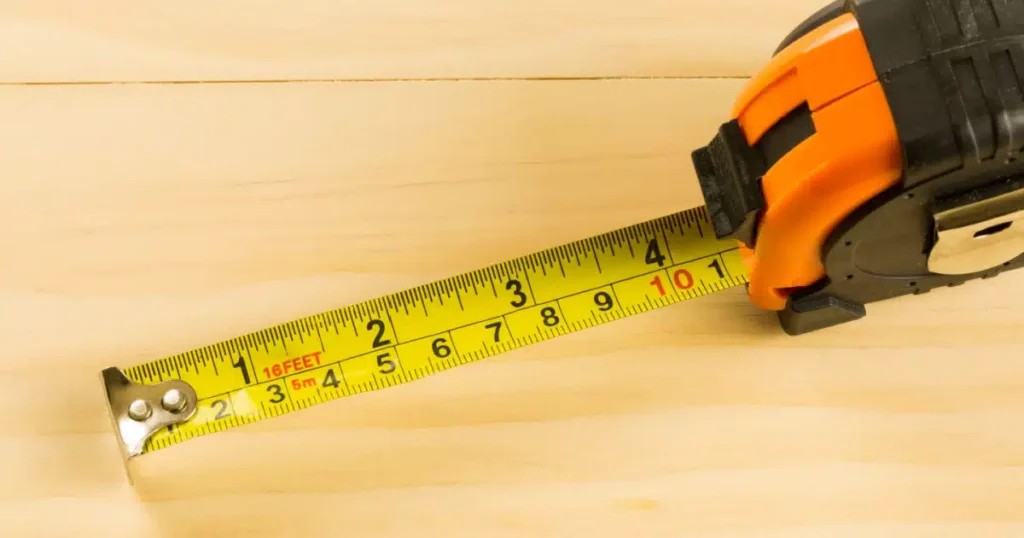
A basic tape measure remains irreplaceable for certain tasks, especially measuring irregular shapes, curved surfaces, or situations requiring tactile confirmation. Keeping a compact tape measure handy complements your digital tools perfectly.
Level and Angle Measurement Apps
Many smartphones include built-in level apps utilizing the accelerometer. These work alongside measurement apps to ensure shelves hang straight, picture frames align properly, and surfaces remain level during installation projects.
🎓 Learning to Trust Digital Measurements
Transitioning from traditional measuring methods to digital alternatives requires building confidence through practice and understanding the technology’s capabilities and constraints.
Start using your digital tape measure app for low-stakes measurements where precision isn’t critical. Measure picture frame spaces, approximate furniture dimensions, or estimate room sizes for carpet calculations. These applications help you learn the interface and develop proper technique without risk.
Verify digital measurements against traditional tools initially. This practice builds trust in the technology while helping you identify situations where your particular app performs best or struggles. Over time, you’ll develop intuition about when digital measurements suffice and when traditional tools remain necessary.
Remember that these apps represent tools in your problem-solving arsenal rather than universal replacements for all measuring devices. Their value lies in immediate availability and convenience for everyday situations, not necessarily in replacing specialized professional equipment.
🌐 Environmental Impact and Sustainability Benefits
Beyond convenience, digital measurement tools contribute to reducing waste in subtle but meaningful ways. Accurate preliminary measurements prevent purchasing incorrect quantities of materials, reducing returns and waste from overbuying.
The ability to visualize measurements before purchasing helps avoid buyer’s remorse with furniture and home goods, potentially reducing the environmental impact of returned merchandise and unnecessary production.
While a single app won’t solve environmental challenges, the collective impact of millions of people making more informed purchasing decisions based on accurate measurements creates meaningful change in consumption patterns.
🚀 Making Digital Measuring Part of Your Routine
Integrating digital tape measure apps into daily life transforms how you approach spatial planning and purchasing decisions. The key lies in remembering these tools exist when opportunities arise.
Keep your preferred measurement app easily accessible on your home screen rather than buried in folders. This simple organizational step ensures you’ll actually use it when spontaneous measurement needs occur.
Practice using the app in familiar spaces where you know the actual dimensions. Measure your living room, bedroom, or kitchen repeatedly to understand how environmental factors affect accuracy and to develop efficient measurement techniques.
Share your measurements with family members or collaborators using the app’s export features. Creating a shared reference library of important dimensions—doorways, hallway widths, furniture measurements—prevents repetitive measuring and helps everyone make informed decisions.
Digital tape measure apps represent a perfect example of smartphone technology solving everyday problems elegantly. While they won’t replace professional measuring tools in all contexts, their convenience, accessibility, and improving accuracy make them invaluable for countless common situations. By understanding their capabilities, limitations, and proper usage techniques, you can confidently incorporate these digital tools into your daily problem-solving toolkit, making spatial decisions easier and more informed than ever before.
