
Anúncios
Article: Detector de Metal no Celular: Veja Como Funciona
Ever wondered if your smartphone could detect hidden metal objects? Modern technology has made this possible through specialized apps that transform your device into a functional metal detector.
Anúncios
Metal detector apps have gained popularity among homeowners, DIY enthusiasts, and treasure hunters alike. These applications leverage the built-in magnetometer sensor found in most modern smartphones to identify metallic objects nearby. While they may not replace professional metal detecting equipment, they serve as convenient tools for everyday situations.
From finding hidden wires behind walls during home renovations to locating lost jewelry in your backyard, these apps offer practical solutions for various scenarios. Understanding how they work and their limitations can help you make the most of this fascinating technology right at your fingertips.
Anúncios


🔍 The Science Behind Smartphone Metal Detection
Your smartphone contains a small sensor called a magnetometer, originally designed to power compass applications and improve GPS accuracy. This sensor measures the strength and direction of magnetic fields in its surrounding environment. Metal detector apps cleverly repurpose this sensor to identify changes in magnetic fields caused by ferrous metals.
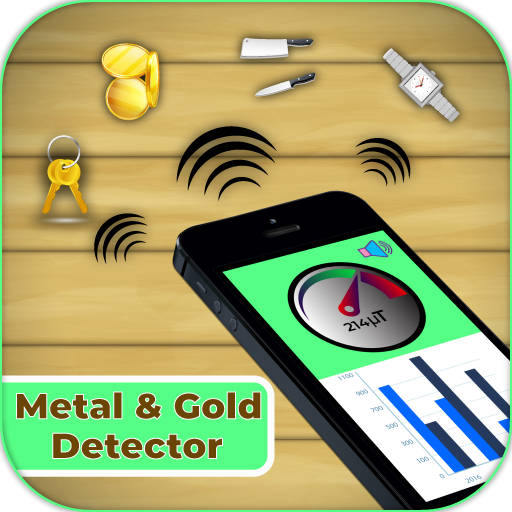
When a metal object comes near your phone, it disrupts the natural magnetic field, causing measurable fluctuations. The magnetometer detects these variations, and the app translates them into visual or auditory feedback. Most apps display readings in microteslas (µT), the standard unit for measuring magnetic flux density.
The effectiveness of your phone’s metal detection capability depends on several factors. The quality and sensitivity of the magnetometer vary between device manufacturers and models. Additionally, the type of metal matters significantly—ferrous metals like iron and steel create stronger magnetic responses than non-ferrous metals like aluminum or copper.
📱 How Metal Detector Apps Actually Work
Metal detector apps typically feature a simple interface with a numerical readout and graphical representation of magnetic field strength. When you first launch the app, it calibrates by measuring the ambient magnetic field in your current location. This baseline reading establishes a reference point for detecting anomalies.
As you move your phone around, the app continuously monitors changes from this baseline. When metallic objects enter the detection range, the magnetic field strength increases, triggering the app to alert you through various means—vibrations, sounds, color changes, or needle movements on a virtual gauge.
Most applications allow you to customize sensitivity settings to filter out minor fluctuations or increase detection range. Some advanced apps even include features like calibration tools, historical data logging, and the ability to differentiate between various metal types based on magnetic signatures.
✨ Key Features to Look For
- Real-time measurements: Instant feedback with numerical values displayed in microteslas
- Audio alerts: Sound notifications that increase in frequency as you approach metal
- Calibration options: Tools to reset baseline readings in different environments
- Sensitivity adjustment: Controls to fine-tune detection range and filter interference
- Visual indicators: Graphs, meters, or color-coded displays showing field strength
- Vibration feedback: Haptic responses for discreet detection without sound
🏠 Practical Applications for Everyday Use
Metal detector apps prove surprisingly useful for common household tasks. Before hanging pictures or shelves, you can scan walls to locate hidden nails, screws, or metal studs, preventing damage to electrical wiring or plumbing. This simple precaution saves time and money during home improvement projects.
Electricians and handymen often use these apps as quick reference tools when professional equipment isn’t immediately accessible. They help identify the path of electrical conduits behind drywall or locate junction boxes covered by paint or wallpaper.
Lost metal objects around your property become easier to find. That missing earring in the carpet, the wedding ring dropped in the garden, or tools misplaced in tall grass—all become recoverable with systematic scanning using your smartphone.
🔧 DIY and Construction Projects
Construction professionals increasingly rely on smartphone metal detectors as preliminary scanning tools. While they complement rather than replace professional stud finders and cable detectors, they provide quick initial assessments of work areas.
When renovating older buildings where blueprints may be outdated or unavailable, these apps help map hidden metal infrastructure. They assist in identifying reinforcement bars in concrete, metal lath behind plaster walls, or outdated metal pipes that need updating.
Outdoor projects benefit too. Landscapers use metal detector apps to locate underground irrigation system components, buried property markers, or forgotten metal stakes before digging. This prevents costly equipment damage and project delays.
🎯 Understanding Detection Limitations
While metal detector apps offer genuine utility, understanding their limitations prevents frustration and unrealistic expectations. The primary constraint is detection depth—most smartphone magnetometers effectively detect objects only within 1-3 inches of the phone’s surface. Professional metal detectors penetrate much deeper into soil or building materials.
The apps work best with ferromagnetic materials—metals that create strong magnetic fields. Steel, iron, and some alloys trigger clear responses. However, non-ferrous metals like gold, silver, aluminum, and copper produce weaker or no magnetic signatures, making them difficult or impossible to detect.
Environmental interference significantly affects performance. Electronic devices, power lines, metal furniture, and even reinforced concrete can create magnetic noise that overwhelms the sensor. Calibration in the specific search area helps minimize false readings, but some environments prove too magnetically “noisy” for accurate detection.
⚡ Factors Affecting Accuracy
- Sensor quality: Premium smartphones typically have more sensitive magnetometers
- Phone cases: Thick cases or those with magnetic clasps interfere with readings
- Battery level: Low battery can affect sensor performance and reliability
- Temperature: Extreme cold or heat impacts magnetometer accuracy
- Electromagnetic interference: WiFi routers, speakers, and appliances create magnetic fields
- Object size: Larger metal objects are easier to detect than smaller ones
🌟 Tips for Optimal Detection Results
Maximizing your metal detector app’s effectiveness requires proper technique. Start by removing your phone from any case, especially those with magnetic components. The phone case itself can create interference or dampen the magnetometer’s sensitivity to external fields.
Always calibrate the app in the specific area where you’ll be searching. Move away from obvious metal objects, launch the app, and let it establish a baseline reading. This step is crucial—skipping calibration often results in constant false positives or missed detections.
Move your phone slowly and methodically across the search area. Rapid movements make it difficult for the sensor to register changes accurately. Maintain a consistent distance from the surface—typically 1-2 inches works best. Too close and you’ll get overwhelmed with readings; too far and sensitivity decreases.
📍 Best Practices for Different Scenarios
When scanning walls, work in a grid pattern from top to bottom. Mark detected metal objects with painter’s tape to create a reference map. This systematic approach prevents confusion and ensures complete coverage of the work area.
For outdoor metal detection, scan in overlapping passes like mowing a lawn. The detection range is limited, so thorough coverage requires patience. Early morning or late afternoon often provides better results, as temperature stability improves sensor consistency.
When searching for lost items, narrow down the general area first before detailed scanning. Consider the object’s likely path and concentrate efforts there. Small metal objects require slower, more deliberate scanning with the phone closer to the search surface.
📊 Comparing Different Metal Detector Apps
The app marketplace offers numerous metal detector applications, each with unique features and interfaces. Basic apps provide simple magnetic field readings with minimal customization, suitable for occasional use. Advanced applications include graphing capabilities, data logging, and material type estimation based on magnetic signatures.
Free apps typically display advertisements and may limit features like sensitivity adjustment or calibration tools. Premium versions remove ads and unlock advanced functionality, though for casual users, free options often suffice for basic detection needs.
User interface design varies significantly between apps. Some mimic traditional metal detector aesthetics with analog gauges and vintage styling, while others embrace modern minimalism with numerical displays and clean graphics. Choose an interface that feels intuitive for your workflow.
🔄 Popular App Features Comparison
| Feature | Basic Apps | Advanced Apps |
|---|---|---|
| Real-time readings | ✅ | ✅ |
| Audio alerts | ✅ | ✅ |
| Calibration tools | Limited | ✅ |
| Sensitivity adjustment | ❌ | ✅ |
| Data logging | ❌ | ✅ |
| Metal type identification | ❌ | Limited |
🛠️ Troubleshooting Common Detection Issues
If your metal detector app consistently shows high readings everywhere, electromagnetic interference is likely the culprit. Move away from electronic devices, power outlets, and appliances. Recalibrate in a “clean” area with minimal metal objects, then return to your search location.
Erratic readings that jump randomly often indicate phone case interference or a failing magnetometer sensor. Remove any case and restart the app. If problems persist across multiple apps, your phone’s magnetometer may need professional calibration or replacement.
No detection response despite known metal objects nearby suggests calibration in an area with strong magnetic fields. The app established a high baseline, making normal objects appear invisible by comparison. Recalibrate in a neutral environment and try again.
🔍 When Professional Equipment Is Necessary
Smartphone metal detectors serve as excellent preliminary tools, but certain situations demand professional equipment. Serious treasure hunting, archaeological work, or security applications require dedicated metal detectors with adjustable frequency ranges, discrimination circuits, and penetration depths measured in feet rather than inches.
Professional construction projects involving critical infrastructure need certified detection equipment for safety and liability reasons. While smartphone apps help with initial assessments, they shouldn’t replace industry-standard detection methods for electrical work or major renovations.
Gold prospecting, relic hunting, or beach combing as hobbies quickly outgrow smartphone capabilities. Dedicated metal detectors offer specialized coils, waterproofing, and sensitivity to non-ferrous metals that smartphone sensors simply cannot match.
🚀 Future Developments in Mobile Metal Detection
Smartphone sensor technology continues advancing rapidly. Newer devices feature increasingly sensitive magnetometers with better noise rejection and faster sampling rates. These improvements directly translate to enhanced metal detection capabilities in future app versions.
Artificial intelligence integration shows promise for improved metal identification. Machine learning algorithms could analyze magnetic signatures to differentiate between metal types more accurately, reducing false positives and providing more detailed information about detected objects.
Augmented reality features may soon overlay detection information directly onto camera feeds, showing precisely where metal objects hide behind walls or underground. This visual integration would make the technology more intuitive and accessible for non-technical users.

💡 Making the Most of Your Smartphone Detector
Metal detector apps transform your smartphone into a versatile tool for everyday challenges. While they won’t replace specialized equipment for serious metal detecting enthusiasts, they provide convenient, accessible solutions for common household and DIY tasks.
Understanding the underlying magnetometer technology, recognizing limitations, and applying proper technique ensures you get the best results possible. Regular calibration, slow methodical scanning, and awareness of environmental interference make the difference between frustration and success.
These apps exemplify how modern smartphones extend beyond communication devices into practical problem-solving tools. The technology sits idle in your pocket, waiting to help locate that lost ring, find a safe spot to drill, or simply satisfy curiosity about what lies hidden beneath the surface.
Whether you’re a homeowner tackling weekend projects, a professional needing quick field assessments, or someone who enjoys exploring hidden aspects of your environment, metal detector apps offer an accessible entry point into the world of magnetic field detection—all powered by the device already in your hand.
