
Anúncios
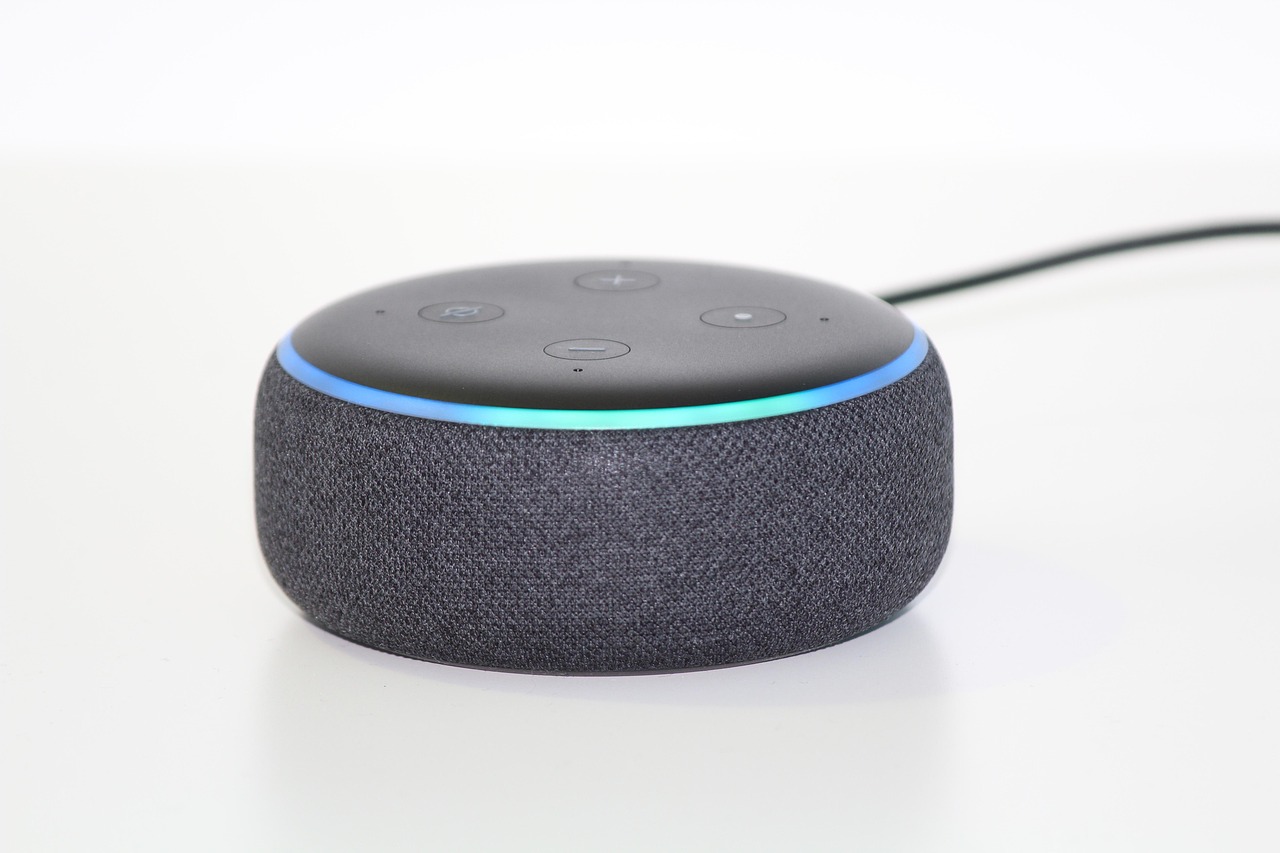
Amazon Alexa has revolutionized how we interact with technology at home, and her capabilities extend far beyond basic voice commands through a rich ecosystem of assistance apps.
The Alexa app serves as the central hub for managing your Echo devices, smart home ecosystem, and thousands of skills that transform your virtual assistant into a personalized helper. Whether you’re looking to control your lights, play music, set reminders, or access information hands-free, understanding how to leverage Alexa’s assistance apps can dramatically improve your daily routine.
Anúncios
From productivity boosters to entertainment options, the Alexa platform offers an impressive array of functionalities designed to simplify modern living. Let’s explore everything you need to know about maximizing your Alexa experience through its comprehensive app ecosystem.


🎯 Understanding the Core Alexa App Experience
The Amazon Alexa app functions as your command center for all things Alexa-related. Available for both iOS and Android devices, this essential application allows you to set up new devices, manage existing ones, and customize how Alexa responds to your needs. The interface is intuitive, featuring a clean design that makes navigation straightforward even for first-time users.
Anúncios
When you first open the app, you’ll encounter a home screen displaying various cards with suggestions, reminders, and recent activities. This personalized dashboard learns from your habits and presents relevant information at a glance. The bottom navigation bar provides quick access to key sections including Home, Communicate, Play, Devices, and More.
One of the most powerful features is the ability to manage all your smart home devices from a single interface. Whether you have smart lights, thermostats, locks, or cameras, the Alexa app consolidates control into one convenient location. You can create groups, routines, and scenes that trigger multiple actions with a single command.

🔧 Setting Up Your Alexa Ecosystem
Getting started with Alexa assistance apps begins with proper device setup. After downloading the app and signing in with your Amazon account, you’ll be guided through a step-by-step process to connect your Echo device to your Wi-Fi network. The app automatically detects nearby devices and walks you through the configuration process.
During setup, you’ll have the opportunity to personalize Alexa’s voice, wake word, and language preferences. You can choose from several wake word options including “Alexa,” “Amazon,” “Echo,” or “Computer.” This customization helps prevent accidental activations and allows multiple devices in one household to respond to different names.
The app also prompts you to connect various services during initial setup. Linking your music streaming accounts like Spotify, Apple Music, or Amazon Music ensures seamless audio playback. Similarly, connecting calendar services enables Alexa to provide scheduling assistance and reminders based on your actual appointments.
🏠 Smart Home Integration Made Simple
The true power of Alexa assistance apps shines through smart home integration. The Devices section of the app displays all connected smart home products organized by category. You can control lights, adjust thermostats, lock doors, and view camera feeds directly from your smartphone.
Creating device groups streamlines control over multiple items simultaneously. For example, a “Living Room” group might include your TV, lights, and sound system. With a single voice command or app tap, you can control all these devices at once. This organization makes managing complex smart home setups remarkably straightforward.
The app supports thousands of compatible smart home brands through native integrations and third-party skills. Whether you’re using Philips Hue, Ring, Nest, or lesser-known brands, chances are excellent that Alexa can communicate with your devices. The setup process typically involves enabling the corresponding skill and linking your account credentials.
⚡ Mastering Alexa Routines for Automation
Routines represent one of the most underutilized yet powerful features within Alexa assistance apps. These custom automations trigger multiple actions based on specific conditions like time of day, voice commands, device detection, or smart home sensor activity. Creating effective routines can transform your home into a truly intelligent environment.
A morning routine might include gradually increasing bedroom light brightness, providing a weather report, reading your calendar appointments, and starting your coffee maker—all triggered by your alarm dismissal or a simple “Good morning” phrase. The possibilities are limited only by your imagination and connected devices.
The app’s routine builder uses a simple when-this-happens-do-that logic. You select a trigger from options including voice commands, schedules, device actions, alarms, or location-based triggers. Then you add actions such as controlling smart home devices, playing music, providing news updates, or sending notifications to your phone.
Advanced users can create sophisticated routines with wait periods between actions, conditional logic based on device states, and announcements that play on specific Echo devices. For instance, a “Leaving Home” routine could lock doors, adjust thermostats, turn off lights, and arm security systems when you say “Alexa, I’m leaving.”
🎵 Entertainment and Media Management
The Play section of the Alexa app consolidates your entertainment options into one convenient location. Here you can browse music, podcasts, audiobooks, and radio stations across all your linked services. The app remembers your preferences and creates personalized playlists based on your listening history.
Multi-room audio functionality allows you to synchronize music playback across multiple Echo devices. You can create speaker groups that play the same content simultaneously or control what’s playing in different rooms independently. This feature transforms your home into a whole-house audio system without expensive specialized equipment.
For audiobook enthusiasts, the integration with Audible is seamless. You can start listening on your Echo device and continue on your smartphone through the app, with your position automatically synced. The app also provides access to Amazon Music’s extensive library, including millions of songs available to Prime members at no additional cost.
📞 Communication Features That Connect You
The Communicate tab transforms your Echo devices into a home intercom system and calling platform. You can make voice and video calls to other Alexa users, drop in on specific devices in your home, or send voice messages that family members can retrieve later.
The Drop In feature proves particularly useful for checking on children in their rooms, communicating with elderly family members, or quickly announcing dinner is ready without shouting through the house. Privacy controls allow you to specify which contacts can drop in on your devices and which rooms accept drop-in requests.
Announcements broadcast your message to all Echo devices simultaneously, making them perfect for household-wide communications. You can trigger announcements through the app or voice commands, and they’ll play on every selected device at once. Some users even create routine-triggered announcements to remind family members about scheduled events.
🛡️ Privacy Settings and Security Controls
Privacy concerns are valid when using voice-activated assistants, and the Alexa app provides comprehensive controls to protect your information. The Privacy section allows you to review and delete voice recordings, manage how Amazon uses your data, and control communication features.
You can listen to recordings of your voice interactions and delete them individually or in bulk. The app also offers the option to automatically delete recordings after three or eighteen months. Additionally, you can prevent Amazon from using your voice recordings to improve Alexa’s accuracy.
Two-factor authentication adds an extra security layer to your Amazon account, preventing unauthorized access even if someone obtains your password. The app also allows you to manage which skills have access to personal information like your location, calendar, or contact list, giving you granular control over data sharing.
🎓 Exploring the Skills Marketplace
Alexa Skills function like apps for your voice assistant, extending functionality far beyond built-in features. The Skills section of the app provides access to tens of thousands of third-party skills covering categories like games, productivity, news, food and drink, lifestyle, and education.
Popular skills include meditation guides like Headspace, workout companions like 7-Minute Workout, news briefings from major publications, and interactive games. Many smart home device manufacturers also offer skills that provide deeper integration than standard smart home controls.
Enabling skills is straightforward—simply search for what you want, tap Enable, and follow any additional setup instructions. Some skills require account linking to access personalized content or control external services. The app displays which skills you’ve enabled and allows you to manage permissions or disable skills you no longer use.
📊 Monitoring Your Alexa Activity
The Activity section provides a chronological history of your interactions with Alexa. This feature serves multiple purposes: reviewing what Alexa heard if a command didn’t work correctly, discovering new ways to phrase requests, or simply keeping track of what was said.
Each entry shows the text transcription of what Alexa heard, the response provided, and which device processed the request. If Alexa misunderstood you, you can provide feedback directly through the app, helping improve future recognition accuracy. This transparency builds trust and helps users understand how their data is being processed.
For households with multiple users, the activity feed can clarify who said what and when. While this transparency is generally positive, it’s worth noting that anyone with access to the primary Amazon account can view all household activity through the app.
🔔 Notifications and Reminders Management
Alexa’s reminder and notification system keeps you organized without requiring you to check your phone constantly. You can set reminders by voice or through the app, specifying exact times or recurring schedules. Alexa announces reminders on your Echo devices and sends notifications to your smartphone.
Shopping lists and to-do lists sync across all your devices, making it easy to add items by voice at home and reference them while shopping. The app allows you to organize multiple lists, share them with family members, and even integrate with third-party list management applications.
Package delivery notifications alert you when Amazon orders arrive, and calendar integrations ensure you never miss important appointments. You can customize notification preferences to control which alerts you receive and whether they’re delivered via voice announcements, phone notifications, or both.
🌐 Multi-User Profiles and Household Management
Amazon Household allows multiple family members to have personalized Alexa experiences while sharing devices. Each person can link their own music services, access their calendar, and receive personalized news briefings. Alexa recognizes different voices and responds with the appropriate user’s information.
Setting up voice profiles involves each household member reading several phrases so Alexa can learn their unique voice patterns. Once configured, Alexa automatically switches between profiles based on who’s speaking, providing personalized responses to questions about schedules, playlists, or reminders.
Parental controls allow you to restrict what children can access through Alexa. You can filter explicit music, prevent purchases without a code, and limit which skills kids can use. These controls provide peace of mind while still allowing younger family members to benefit from Alexa’s educational and entertainment features.
🚀 Advanced Features for Power Users
Beyond basic functionality, Alexa assistance apps offer advanced features that unlock even greater potential. Blueprints allow you to create custom skills without coding knowledge, perfect for personalized greetings, family trivia games, or customized responses to specific questions.
The app supports IFTTT integration, connecting Alexa to hundreds of other services and platforms. You can create applets that trigger actions on social media, email, productivity tools, or other smart home platforms that might not have native Alexa support. This extensibility makes Alexa incredibly versatile.
Developer tools within the app allow technically inclined users to create more sophisticated skills and integrations. Amazon provides extensive documentation, sample code, and testing environments for those interested in building custom Alexa experiences tailored to specific needs or business applications.
💡 Troubleshooting Common Issues
Even with intuitive design, users occasionally encounter issues with Alexa assistance apps. Connectivity problems often stem from Wi-Fi issues—the app includes diagnostic tools that test your network connection and suggest solutions. Restarting your Echo device or router resolves many common connectivity problems.
If Alexa isn’t responding correctly to commands, check the activity history to see what she’s actually hearing. Background noise, unclear pronunciation, or being too far from the device can cause misunderstandings. Repositioning your Echo device away from walls or speakers often improves recognition accuracy.
For smart home control issues, verify that the relevant skill is enabled and that your third-party account is still linked. Sometimes authentication tokens expire, requiring you to reconnect services. The app’s device troubleshooting section provides step-by-step guidance for resolving compatibility issues.
🎯 Maximizing Your Daily Alexa Experience
Getting the most from Alexa assistance apps requires intentional setup and regular optimization. Start by exploring one new feature weekly rather than trying to learn everything at once. Create routines for your actual daily patterns, not theoretical scenarios, ensuring they provide genuine value.
Regularly review enabled skills and disable those you’re not using—this declutters your experience and potentially improves performance. Update your preferences as your needs change, adjusting notification settings, linked services, and device configurations to match your current lifestyle.
Engage with the Alexa community through forums and social media to discover creative uses you might not have considered. Many innovative applications come from users experimenting with unexpected combinations of features, skills, and routines. The ecosystem constantly evolves, with new capabilities regularly added through app updates.
The Alexa app ecosystem represents a powerful platform for simplifying daily life through voice control and automation. By understanding the full range of features available and customizing them to your specific needs, you transform Alexa from a simple voice assistant into an indispensable household tool. Whether you’re interested in smart home control, entertainment management, productivity enhancement, or staying connected with family, Alexa assistance apps provide the flexibility and power to make it happen. Download the app today and start exploring the possibilities that await in your smart home journey. 🏡✨
